Free to use

Your family day,
together on one screen.

Bring calendars, shared tasks and favorite photos into a home display that keeps everyone in the loop—without adding another complicated routine.

Free to use Simple code pairing Built for shared screens
Live family display
FamyGram photo display with family calendar and task shortcuts
See what is nextFamily calendar
Keep things movingShared tasks
01
One shared viewPlans, tasks and memories
02
Your tools, connectedGoogle, Microsoft and more
03
Your screens, your wayManage each room centrally
A calmer family rhythm

Less asking. Less forgetting.
More knowing what comes next.

FamyGram turns a screen at home into a useful place for the whole family—then gives you one simple portal to keep it organized.

Family calendar

Everyone's plans, finally visible.

Combine Google Calendar, Outlook and iCal feeds. Color-code schedules, filter by family member and see the week at a glance.

  • Multiple calendars on one screen
  • Member filters and participant avatars
  • Times, locations and calendar labels
Shared tasks

Make the next job obvious.

Sort to-dos into Today, This Week and Anytime, then complete them directly from the display.

Photo memories

Beautiful when the day is quiet.

Turn family photos or ambient imagery into a fullscreen slideshow between check-ins.

One control center

Set up every screen from one place.

Choose orientation, content, photo timing and member assignments for each display in the home.
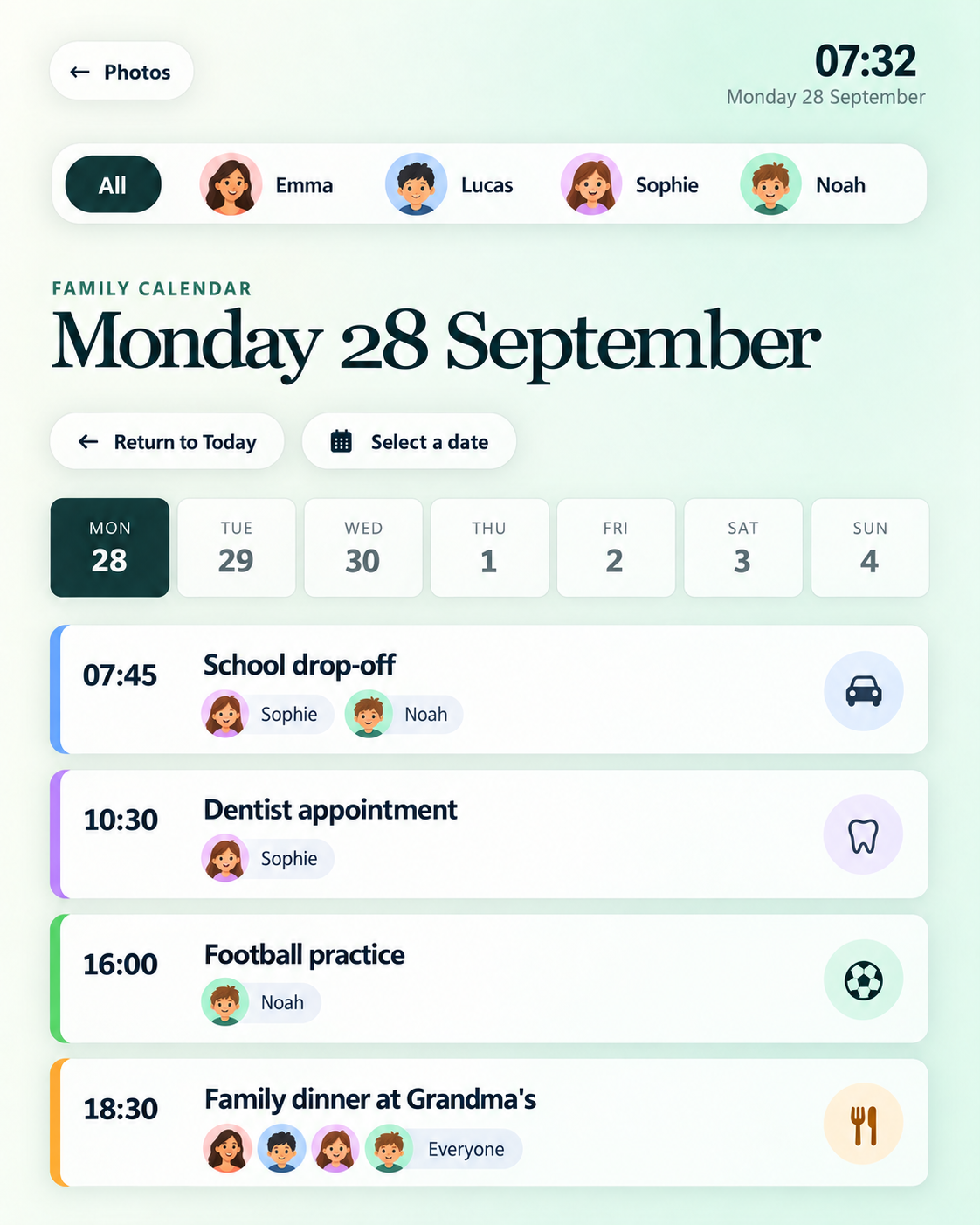
Calendar FamyGram seven-day family calendar with member filters
The family calendar

Turn everyone's schedule into one clear week.

Bring personal and shared calendars together without losing who each plan belongs to. Jump to any date, return to today and focus on one person or the whole family.

Seven-day viewMove through the week at a glance.
Member filtersSee one schedule or everyone's.
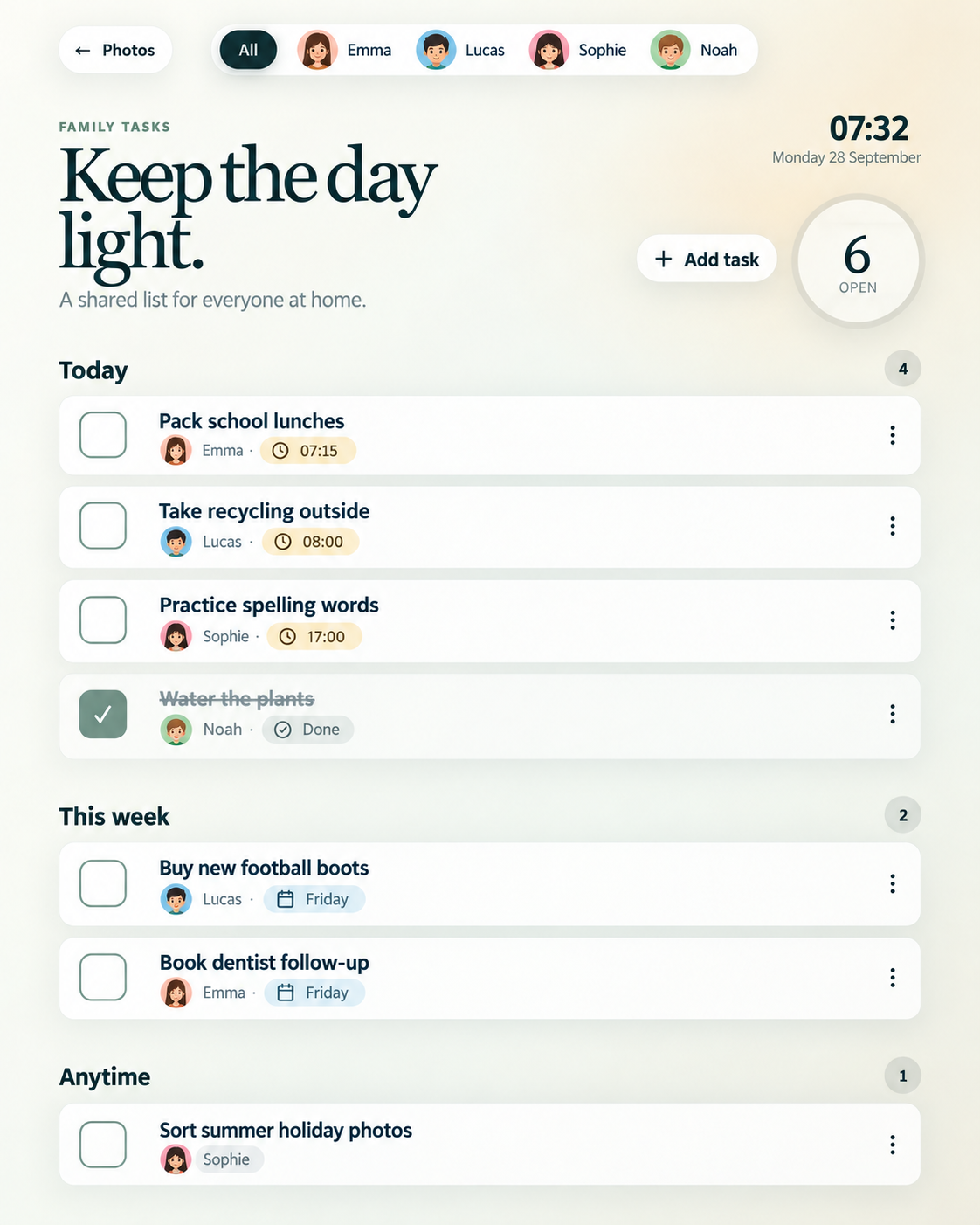
Tasks FamyGram family task board organized by today, this week and anytime
Tasks that stay in sight

Make shared responsibilities easier to act on.

See what is due now, what can wait and who a task belongs to. Add, edit, complete or reopen a task from the family screen.

Clear prioritiesToday, This Week and Anytime.
One-tap updatesKeep the list moving from the screen.
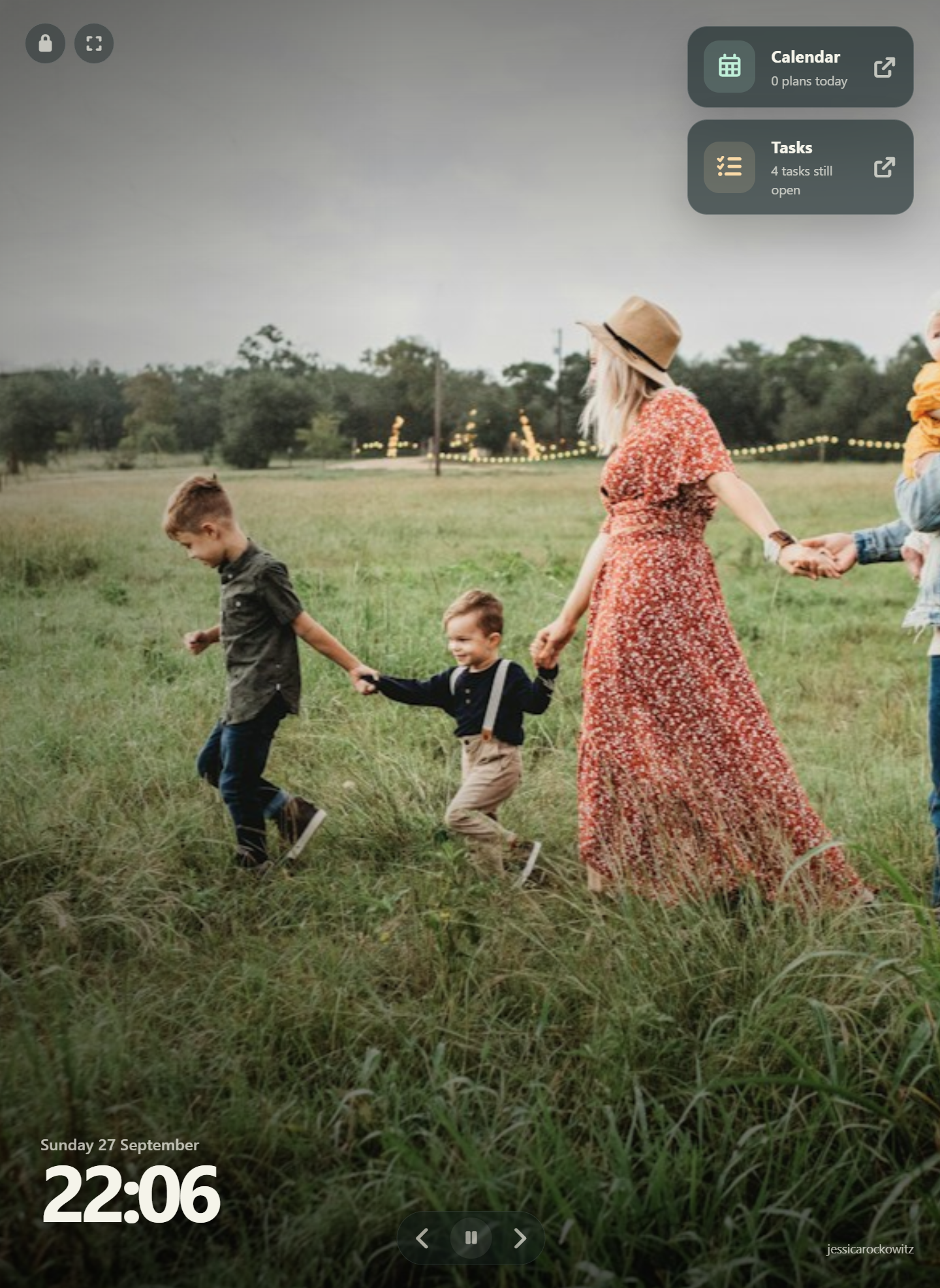
Photo display FamyGram fullscreen photo display with clock and quick links
Memories between moments

A family display you will enjoy looking at.

Show photos from connected sources, control the slideshow and keep the clock, calendar and task shortcuts close by.

Flexible sourcesPhotos, folders, storage or URLs.
Display controlsFit, timing, fades and playback.
From signup to the family screen

Set it up once.
Keep the day moving.

FamyGram separates simple screen use from configuration, so the family gets a clean display while administrators keep control of the details.

1

Create your family hub

Set up the family workspace and invite the people who need access.

2

Choose what appears

Connect calendars, task lists and photo sources, then assign them to a screen.

3

Pair with a short code

Open the display, enter its access code and give the device a familiar room name.

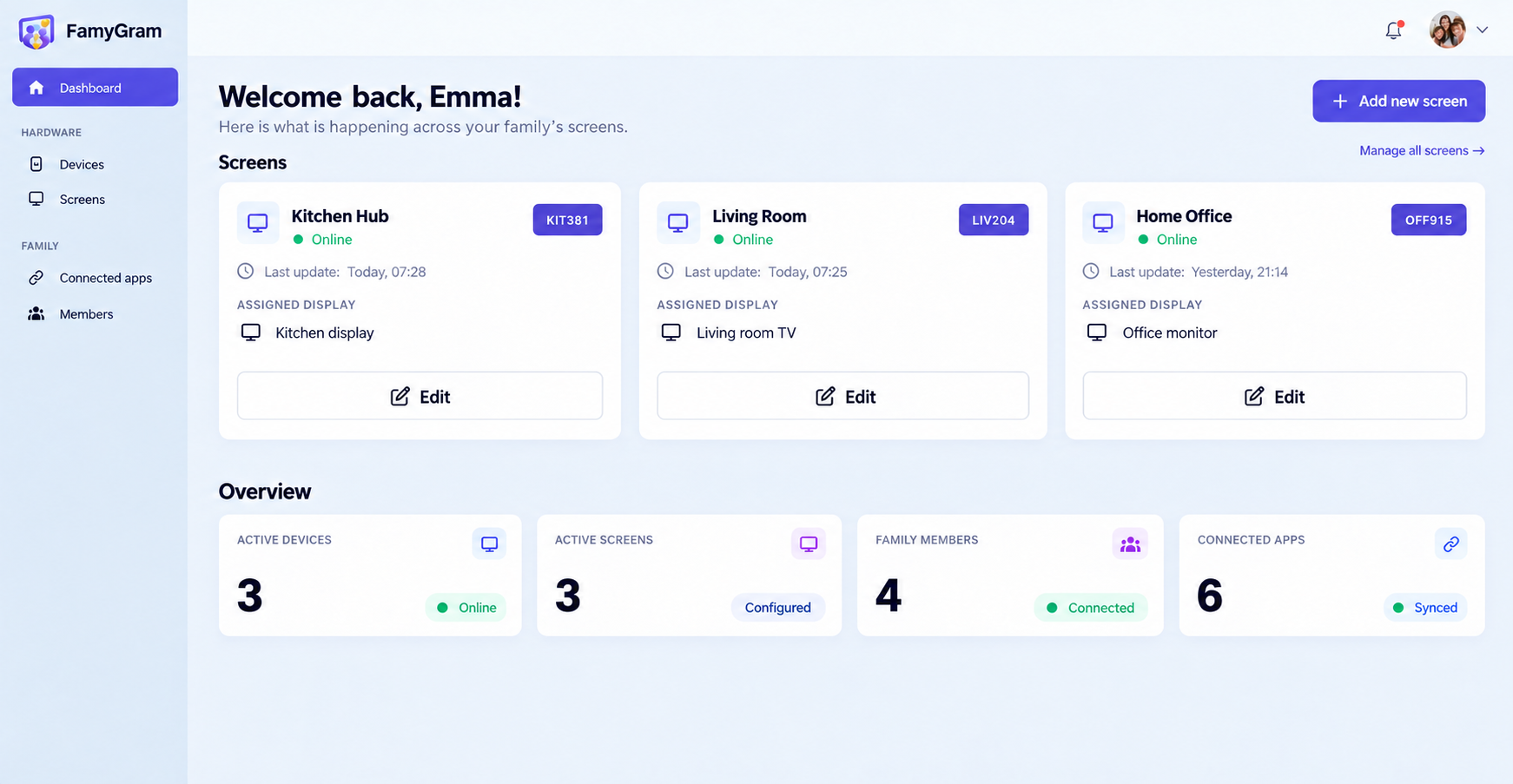
The admin side

One place to manage the whole family setup.

See screens and devices, connect services, invite family members and adjust what each display shows from a responsive management portal.

Screen and device overview
Guided five-step screen setup
Family roles and member profiles
English and Dutch interface
Get started
FamyGram admin dashboard with screens and household statistics
Connect what you already use

Familiar tools. One family view.

Bring calendars, task lists and photo sources into FamyGram, then decide what belongs on each display.

G Google Calendar⊞ Outlook Calendar31 iCal feedsG Google Tasks✓ Microsoft To Do✓ Todoist✦ Google Photos◆ DropboxS3 S3 storageU Unsplash

Connected services may require an account with the respective provider.

Free to use

Give the family one place to look.

Bring the day together on a screen at home, then manage everything from one simple portal.

Questions, answered

What families usually want to know.

Need help with a specific setup? Use the contact form and tell us what you want to connect.

Yes. FamyGram is free to use.

FamyGram supports Google Calendar, Microsoft Outlook Calendar and standard iCal subscription feeds.

Yes. Family members can view tasks, add or update details, mark work complete and reopen a task directly from the screen experience.

Create a screen in the management portal, open the FamyGram display on a compatible device and enter the short pairing code. The device keeps its configuration for later startup.

Yes. Each screen can have its own orientation, calendars, task lists, photo source and slideshow behavior.
Start the conversation

Ready to bring your family day together?

Tell us what you want to show, which services you use or where you need help getting started.

Start freeFamyGram is free to use.

Use your familiar toolsConnect supported calendars, tasks and photos.

Make it yoursConfigure the view for your family and home.

Please enter your name.
Please enter a valid email address.
Please choose a topic.
Please add a short message.
Your details are used only to respond to your message.